AI scheduling
AI scheduling that ends the phone tag
Clara is an AI phone receptionist for small service businesses. Clara asks what the job is and when the caller wants it, checks that against the hours and services you set, and puts the request on your calendar for you to confirm.
What is AI scheduling?
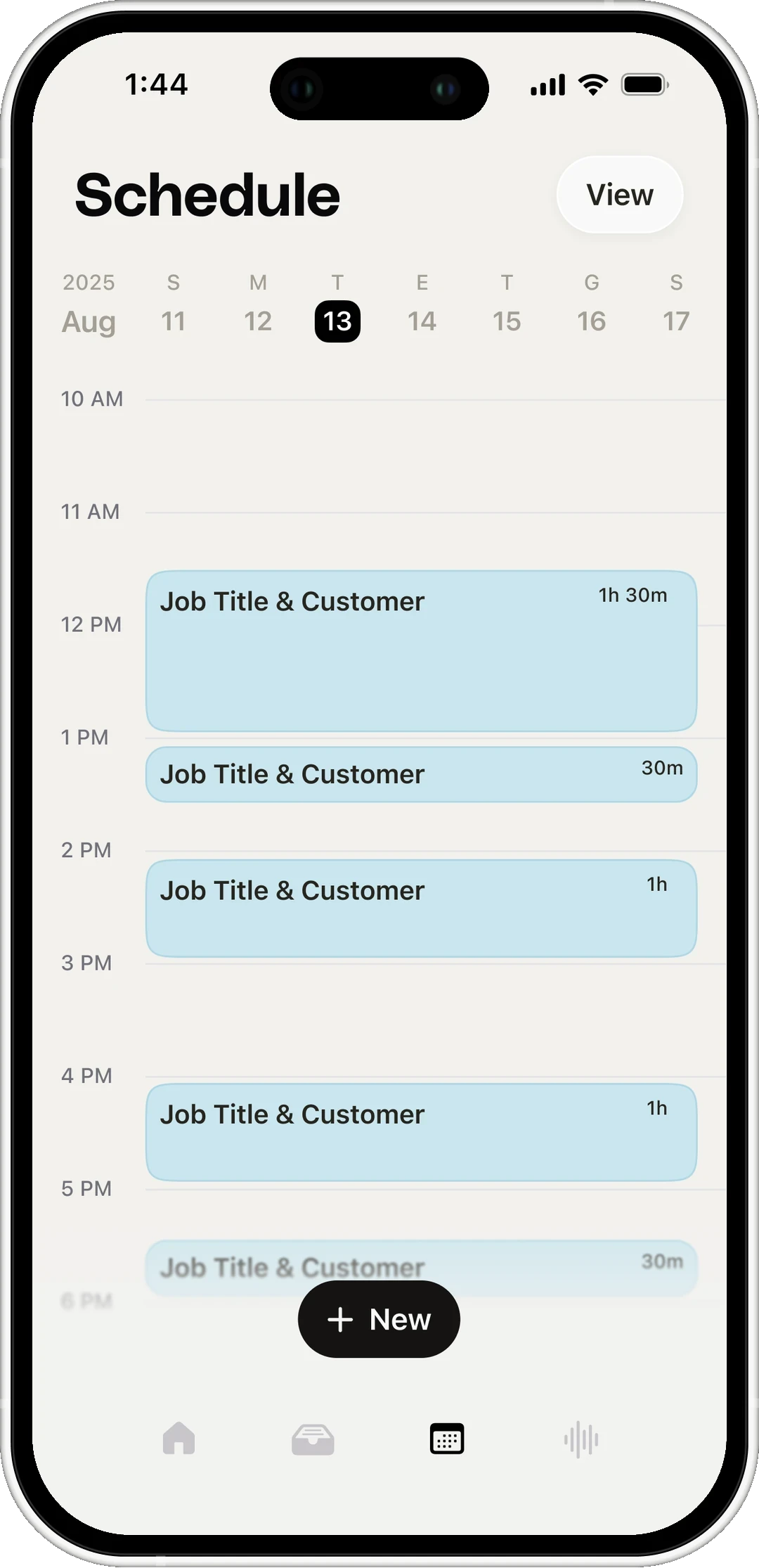
AI scheduling is software that handles the scheduling part of a phone call: the job, the time the caller wants, and whether it fits your hours. Clara collects all of it on the call, so you confirm instead of calling back to ask.
The time they asked for
No hold music and no “someone will be in touch”. Clara takes the day and time they want, right on the call.
A text they can keep
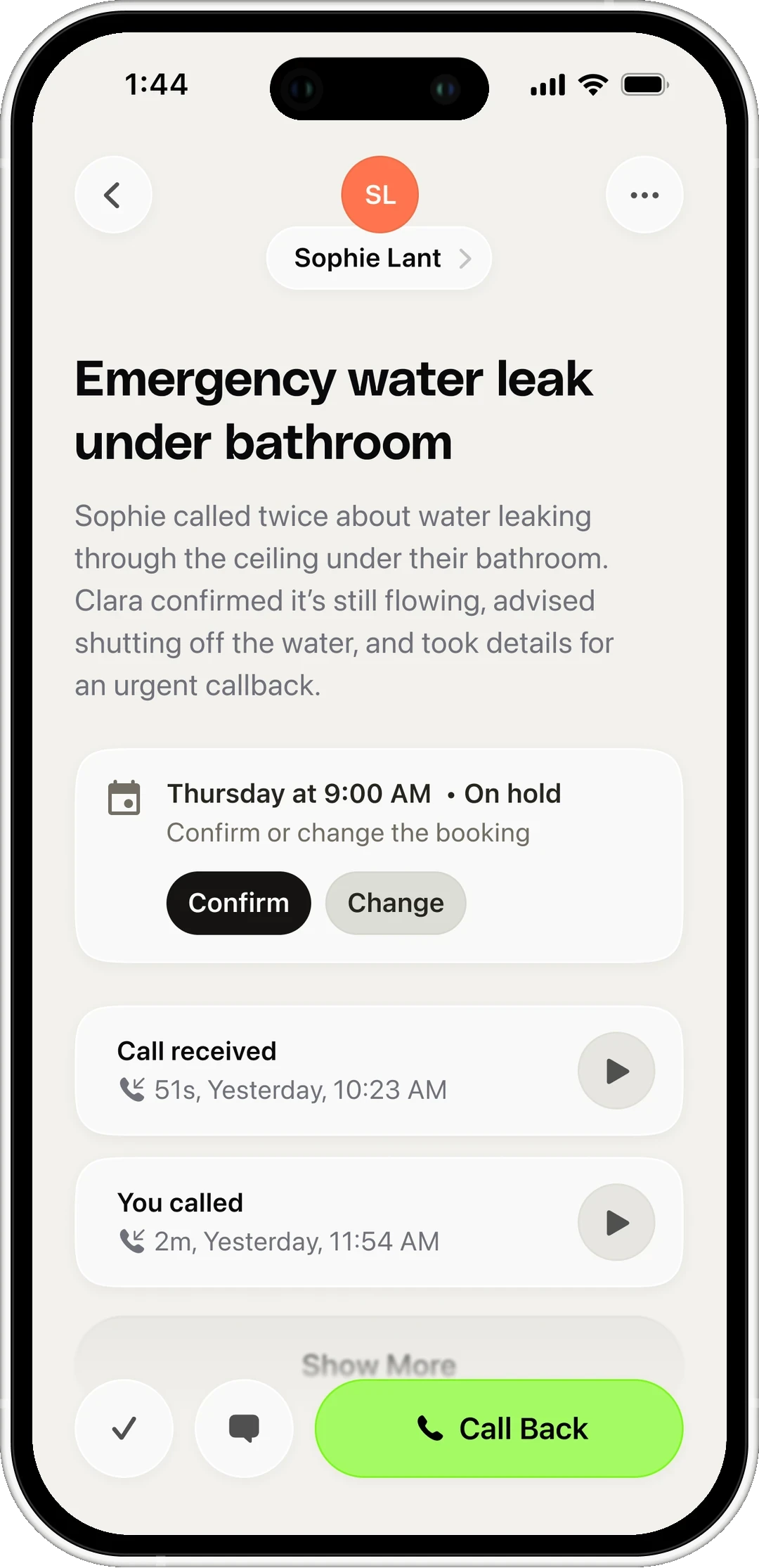
Once you confirm the time, Clara texts the caller the day, the time and your number, so nobody shows up on the wrong day. Available on Clara Pro.
How a scheduling call actually goes
Four steps, and you're on the tools for all of them
-
A caller asks when you can come out
"Can someone come out this week?" Clara picks up and asks what the job is.
-
Clara checks it against your rules
Your working hours, the services you take on, and the jobs already on your calendar.
-
Clara offers times that fit
Times that work with the hours and travel you set, not a promise to call back.
-
You confirm, and the caller gets a text
The request lands on your calendar with the job, the time and the caller's details. One tap to confirm.
What Clara says when someone asks for a time
The caller leaves the call knowing exactly what happens next
- Caller Can someone come out this week?
- Clara I've got Tuesday morning and Thursday afternoon open on Cody's schedule. Which suits you better?
- Caller Tuesday morning, please.
- Clara I've put Tuesday morning down for you. Cody will text you to confirm within the hour.

- Caller Tuesday morning, please.
- Clara I've put Tuesday morning down for you. Cody will text you to confirm within the hour.
- Caller Can you send it to this number?
- Clara Sent. The date, the time and our number are all in there.
- Caller Something has come up. Can we move Tuesday?
- Clara No problem. I have Wednesday at eleven, or Thursday at two.
- Caller Wednesday at eleven, thanks.
- Clara Moved. Tuesday is free again and the new time is on its way to you.
Setting it up is a conversation
Three questions, and Clara is ready for the next call
How you work
You travel out, they come to you, or both.
What you take on
Your services, and how long each one runs.
When you're free
Your hours, and the slots you keep back.
Works with the rest of Clara
Where scheduling fits with everything else Clara does
Frequently asked questions
Manage customer calls wherever the work takes you
 4.6 App Store 4.6 Play Store
Clara on your phone
Scan the QR code or download from a store: